Create Brand Product Creative with AI Free
The 2025 Small Business Game-Changer
If you’re running an online store or building a personal brand, you already know how important good visuals are. Eye-catching images can be the difference between a scroll-past and a sale. But in 2025, thanks to AI, you don’t need a photographer or designer to create studio-quality product images or ads. You can do it in seconds—with just your product photo and a short prompt.
What’s New in 2025?
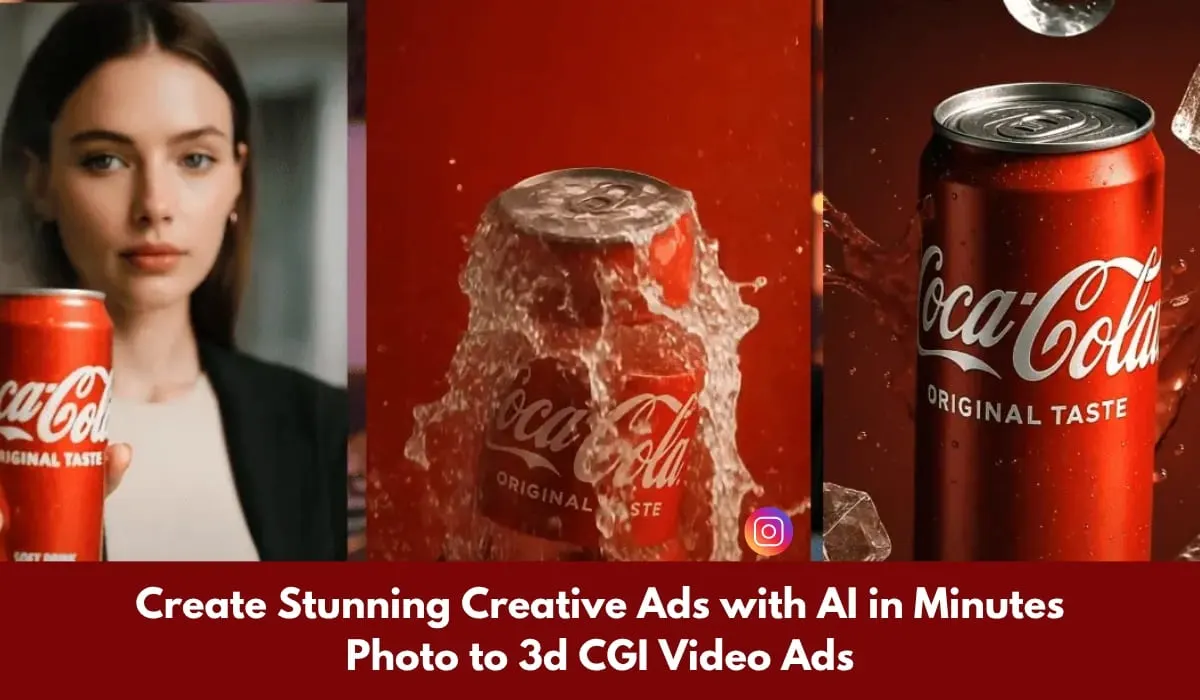
Thanks to the latest update from ChatGPT, small business owners and creators can now transform simple product shots into high-end, professional visuals—without Photoshop or expensive tools. Even better? You can animate those images into short, scroll-stopping video ads using tools like Pixverse AI.
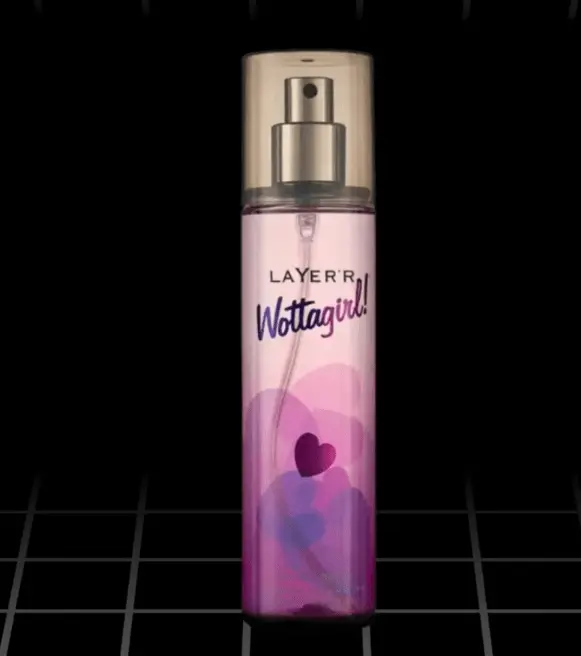
Simple Click Product Photo With Your Smart Phone
Let’s break it down, step-by-step.
🧰 What You’ll Need
A basic product photoshoot (taken with your Smart phone is fine!)
A reference image showing the style you want
Access to ChatGPT: https://chatgpt.com
Pixverse AI for video creation: https://app.pixverse.ai
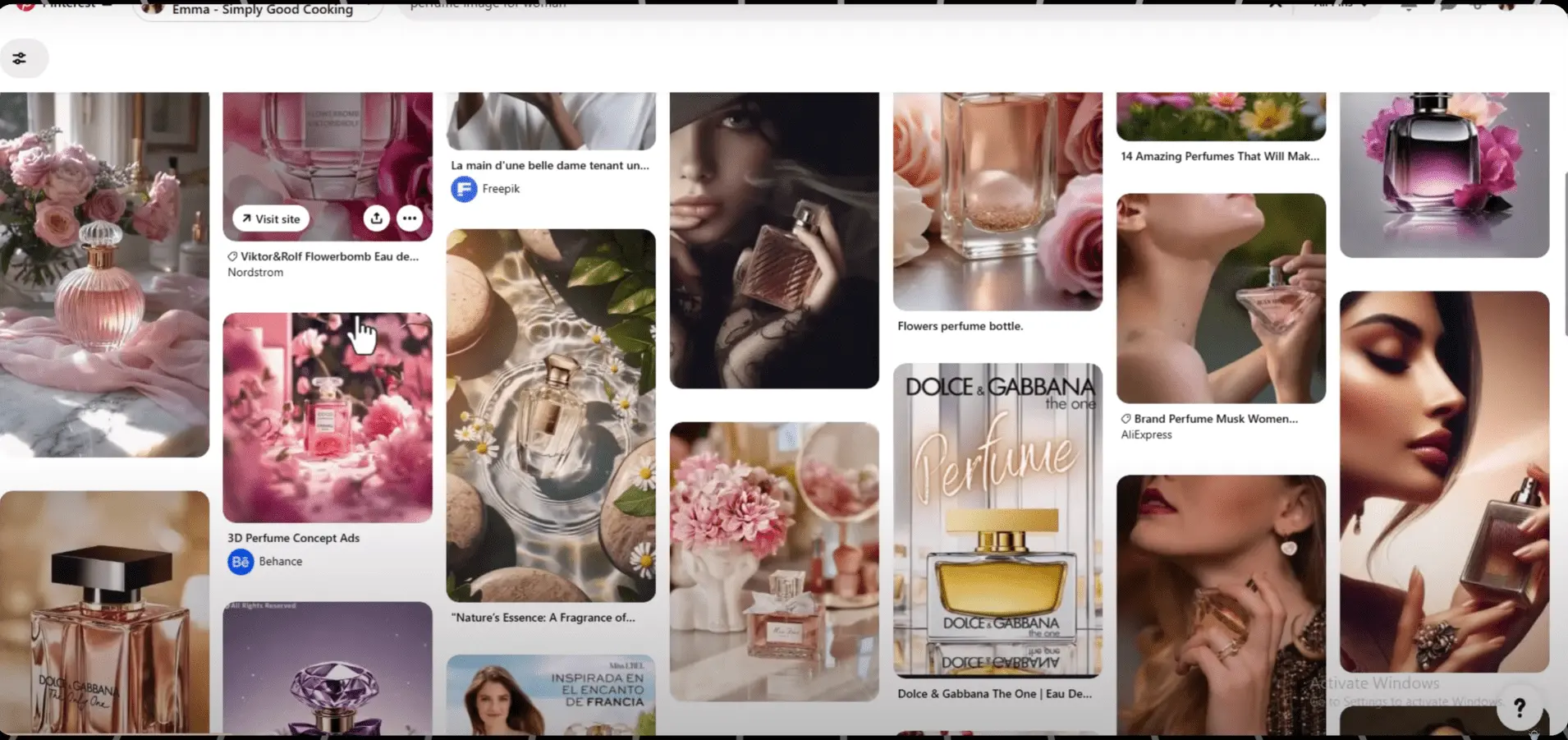
Find Your Reference Image In Pinterest
🪄 Step-by-Step: Create a Stunning Product Image Ad
1. Get a Clean Photo of Your Product
Take a photo of your product against a plain background. Make sure it’s clear Image. You don’t need a DSLR Camera – your phone camera will do just fine.
2. Find a Creative Reference
Head over to Pinterest, Google, or even e-commerce sites like Sephora or Amazon. Search for product ads or packaging shots that match the look you want (e.g. “luxury skincare ad”). And Download Creative image for refrence image.
Save that image—you’ll use it as a visual reference.
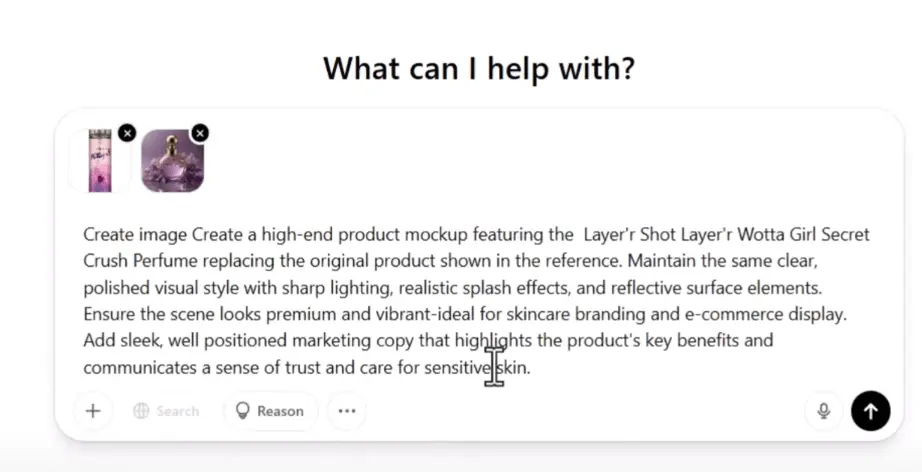
Upload Your Product Image With Reference Image
3. Upload to ChatGPT
Go to ChatGPT
Click “Try ChatGPT” (make sure you’re logged in)
In the chat box, click the “+” icon to upload:
Your product image
Your reference image
4. Use This Image Prompt
Copy and paste this prompt:
Create a high-end product mockup featuring the Layer’s Shot Layer’s Wotta Girl Secret Crush Perfume replacing the original product shown in the reference. Maintain the same clear, polished visual style with sharp lighting, realistic splash effects, and reflective surface elements. Ensure the scene looks premium and vibrant—ideal for skincare branding and e-commerce display. Add sleek, well-positioned marketing copy that highlights the product’s key benefits and communicates a sense of trust and care for sensitive skin.
Then click “Generate”.
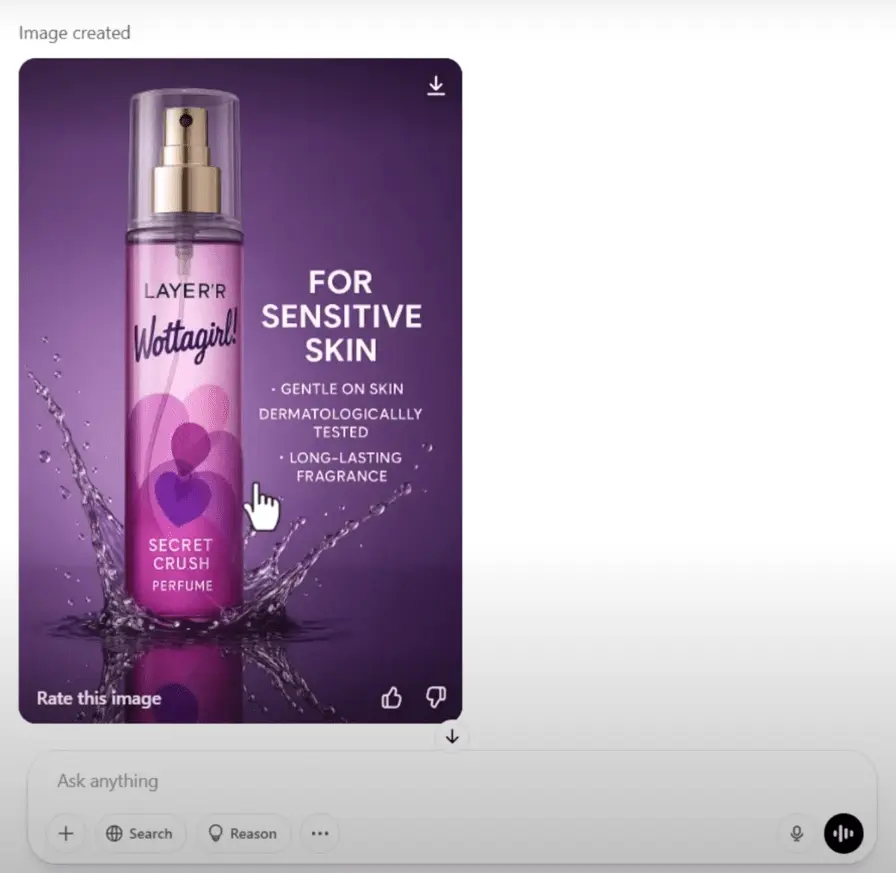
This could make a big difference for your business.
It’s 2025 and now you can turn a simple product photo into a professional looking image in just seconds.
It’s possible and very easy process using AI.
All you need is a basic picture.
Maybe it’s makeup, a gadget, or a piece of clothing upload.
It type a short prompt and you get a clean, polished image that’s ready.
The latest chat GPT update makes this possible, if you run a small business, you know how much time and money it takes to get good product photos.
Hiring a photographer or designer can be really expensive, but now you don’t need to.
This AI helps you create great looking images fast without extra help.
For example. I used it to show what a product would look like on a model without doing a Photoshop. It worked better than I expected and the result looked real. This can save you money and help you grow faster whether you’re just starting out or already selling online.
Make Diffrent Variation Images With AI Prompt
This is a smart way to make your brand look more professional. Here’s a clear and simple step-by step guide you can use to turn product photos into high quality images and then create an A video for your social media.
All in a way that’s fun, fast and super effective.
First you will need a photo of your product and a reference image for the style or look you want. You can find reference images by searching on Google Pinterest or any other site. I’m using pinterest to find my reference image.
Go to and in the search bar type the name of your product. When you find Perfect One.
Download the image.
Next go to chat GPT and click on try chat GPT. In the chat box.
Click the plus icon and upload both your product image and your reference image. Next copy the prompt from the description box and paste it into the prompt box.
Then click. Generate. In just a few seconds, your image will be ready. Once it’s done, you can download it.
You can also edit or change the image if you want.
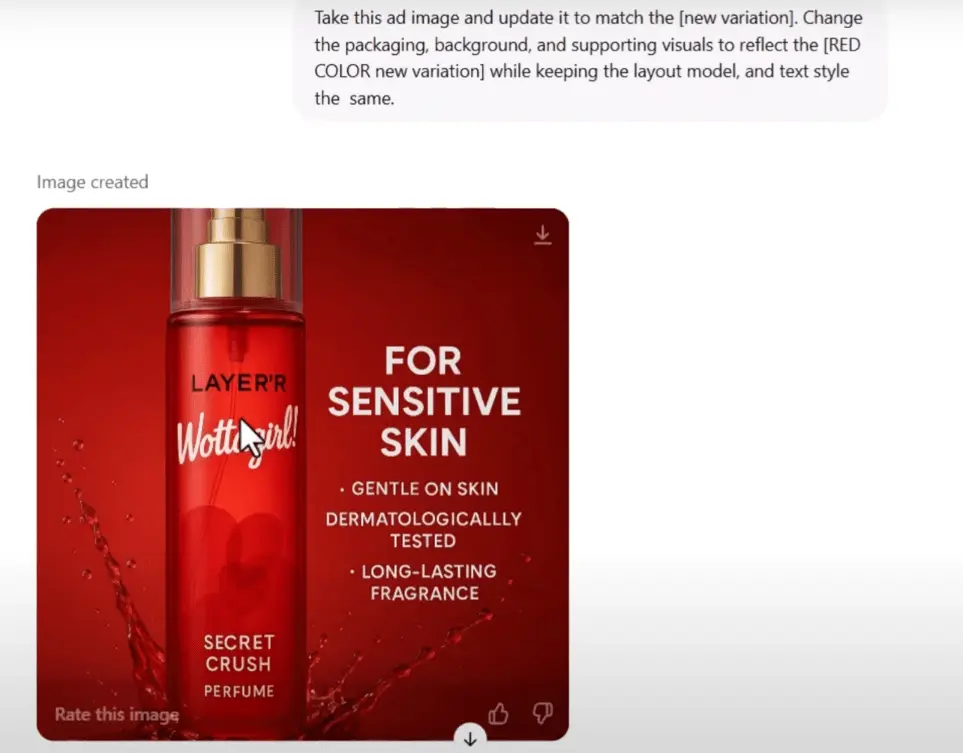
Let me show you how just use the same chat box. Paste this prompt and change the prompt as you need like color, tone, style, and more.
Then click generate. As you can see, this image is also ready and it’s just changes color to red. Now let’s see how to turn your image into an A or short video.
We’ll use pickers AI for this. Go to pickers in the prompt box.
Click the plus icon and upload your image.
Then type this prompt a luxury perfume bottle made of clear high-end glass standing in cold weather. A thin layer of frost appears at the base, slowly spreading upward, turning into detailed ice crystal patterns click generate.
In just a few seconds, your image will be turned into a beautiful adread visual. You can now download and share it as both an image and a short video on your social media platforms.
Try it for your products. See what it can do, and if you give it a shot, share what you made in the comments.
Make Crazy Product Image Ads With ChatGPT
IMAGE PROMPT
Create image Create a high-end product mockup featuring the Layer’s Shot Layer’s Wotta Girl Secret Crush Perfume replacing the original product shown in the reference. Maintain the same clear, polished visual style with sharp lighting, realistic splash effects, and reflective surface elements. Ensure the scene looks premium and vibrant-ideal for skincare branding and e-commerce display. Add sleek, well positioned marketing copy that highlights the product’s key benefits and communicates a sense of trust and care for sensitive skin.
IMAGE CUSTOMIZATION PROMPT
Take this ad image and update it to match the [new variation]. Change the packaging, background, and supporting visuals to reflect the [new variation] while keeping the layout model, and text style the
same.
VIDEO PROMPT
A luxury perfume bottle made of clear, high-end glogistanding HimScen to react to the freezing temperature: first, a thin layer of frost appears at the base, gradually spreading upwards. The frost transforms into delicate, intricate ice crystal patterns
⚙ TOOLS I USED:
To Make Product Image Ads: https://chatgpt.com/
Product Image Ads To Video Ads: https://app.pixverse.ai/
turn simple, plain product photos into mind-blowing ad images with the help of ChatGPT!
Whether you’re promoting an online store, a brand, or just want fun content, this trick will totally change your marketing game. Watch till the end for a bonus tip.
💡 Bonus Tip: Use This for All Kinds of Products Creatives
This method works whether you’re selling:
Skincare or cosmetics
Clothing or accessories
Jewelry or gadgets
Handmade or digital goods
You can even use it to mock up how your product looks on a model or in a different setting—no need for photoshoots.